

Download NeoOffice – Free, Fast, and Mac‑Optimized Office Suite
Overview
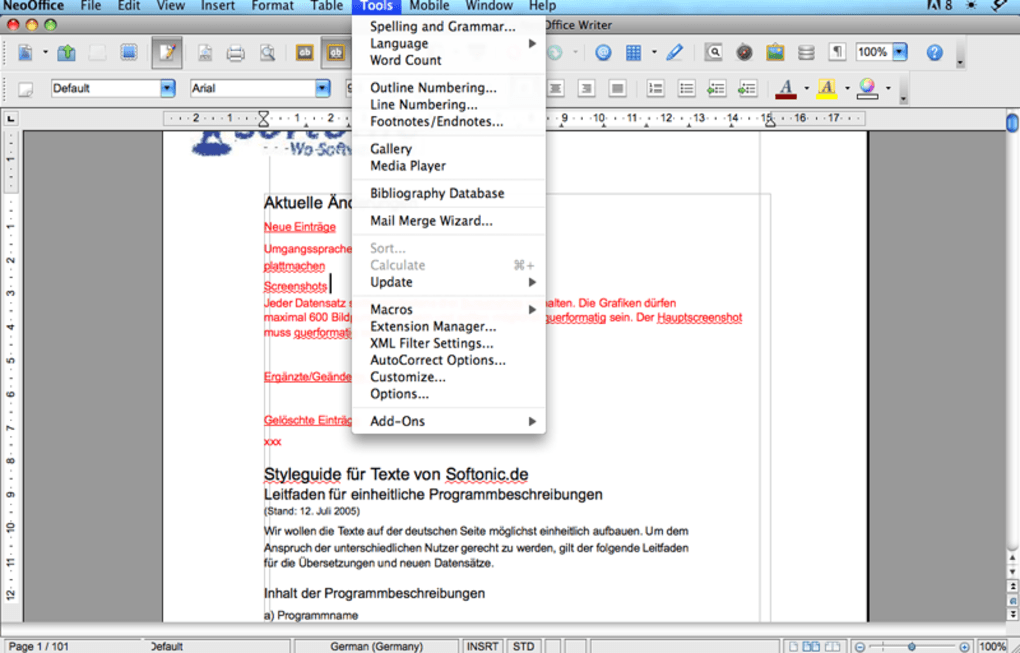
NeoOffice brings the power of the OpenOffice family to macOS users who demand a native‑looking, open‑source alternative to Microsoft Office and iWork. Built on the same core as Apache OpenOffice, NeoOffice has been specially tweaked for macOS, offering a familiar ribbon‑free interface that feels right at home on a Mac. The suite includes a word processor (Writer), spreadsheet (Calc), presentation tool (Impress), database manager (Base), and a vector drawing application (Draw). While the presentation component trails behind its commercial rivals in template variety, the rest of the applications are robust, fast‑loading, and fully compatible with Microsoft Office file formats (DOCX, XLSX, PPTX). NeoOffice also supports full‑screen mode, versioning, and a host of macOS‑specific shortcuts, making it a compelling choice for students, freelancers, and small businesses looking for a cost‑effective office solution.
The latest release adopts a donation‑ware model: users who have contributed at least $10 in the past year can unlock the full feature set without interruption. This approach keeps the core software free while encouraging community support. NeoOffice’s frequent updates ensure compatibility with the newest macOS releases, including macOS 10.7 Lion and later. If you’re searching for a secure, free office suite that respects the macOS design language, NeoOffice is worth a closer look.
Key Features and What Sets NeoOffice Apart
- Native macOS Integration – Optimized UI elements, macOS‑style menus, and support for full‑screen mode.
- Fast Document Loading – Writer, Calc, and other apps open files noticeably quicker than many competitors.
- Cross‑Platform Compatibility – Seamlessly read and write Microsoft Office formats (DOCX, XLSX, PPTX) and OpenDocument formats (ODT, ODS, ODP).
- Robust Wizards and Help Docs – Step‑by‑step guides for creating complex documents, spreadsheets, and databases.
- Versioning & Resume – macOS 10.7 Lion features such as automatic document versioning and resume after crash.
- Free Core Functionality – All core apps are free; a modest donation removes occasional reminders.
- Extensible via Extensions – Support for a wide range of OpenOffice extensions to enhance productivity.
Beyond the listed features, NeoOffice distinguishes itself through its lightweight footprint. Unlike the bloated Microsoft Office installers, NeoOffice’s download size stays under 150 MB, making it ideal for bandwidth‑constrained environments. The suite also respects macOS security standards, requiring only the standard Gatekeeper verification during installation. While Impress (the presentation app) lacks a deep library of modern templates, its core slide‑creation tools are fully functional and can import PowerPoint presentations without loss of formatting.
Another notable advantage is the active community around NeoOffice. Users can submit bug reports, request new features, and even contribute code via the project's GitHub repository. This collaborative model ensures that updates are frequent and responsive to real‑world user needs, especially as Apple rolls out new macOS versions.
Installation, Setup, and Everyday Usage
Step‑by‑Step Installation Guide
- Visit the official NeoOffice website and click the “Download Free” button. The installer is a standard
.dmgfile for macOS. - Open the
.dmgand drag the NeoOffice icon into your Applications folder. - When you launch NeoOffice for the first time, macOS will prompt you to confirm that you trust the developer. Click “Open”.
- If you have previously donated, log in with your NeoOffice account to unlock the full suite; otherwise you’ll see a gentle reminder to contribute.
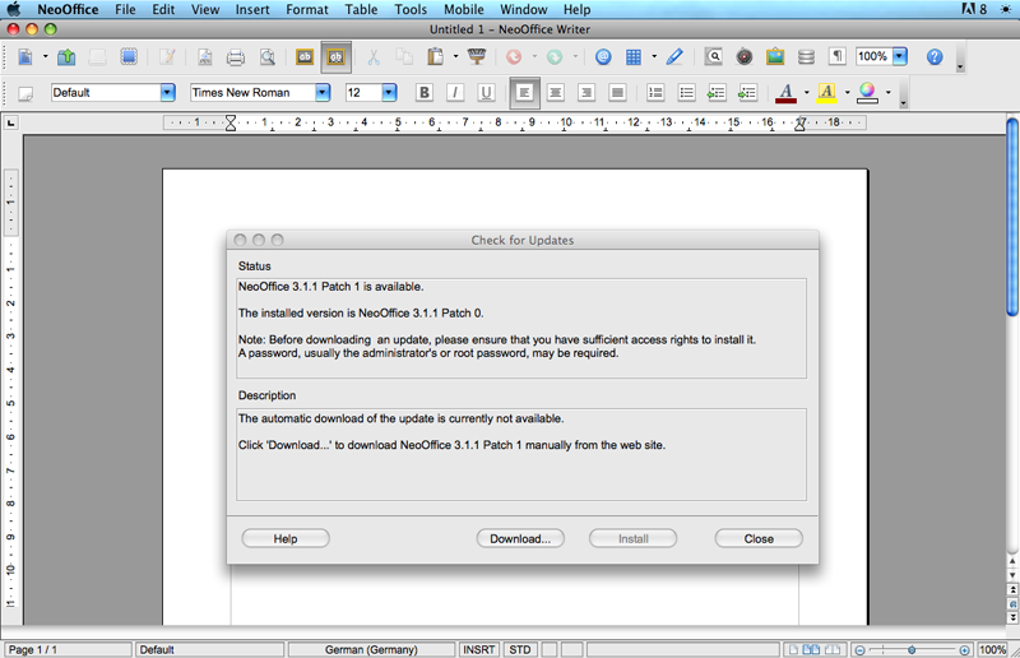
- After the initial launch, the software will check for updates automatically. It’s recommended to enable “Check for updates” in the Preferences panel.
First‑Run Configuration
Upon opening any NeoOffice component, you’ll be greeted by a clean toolbar that mirrors native macOS aesthetics. Navigate to NeoOffice → Preferences** to tailor settings such as default file format (ODF vs. Microsoft formats), autosave intervals, and language. The “Extensions” tab lets you install additional plugins, for example a LaTeX formula editor for Writer or a charting extension for Calc.
Everyday Workflow Tips
Because each application opens in its own window, keep your desktop organized by using macOS Mission Control. Assign each NeoOffice app to a separate desktop space for a clutter‑free experience. Use the built‑in “Templates” gallery (found under File → New) to jump‑start common documents such as resumes or budget sheets. For collaborative work, store your files in iCloud Drive or Dropbox; NeoOffice monitors changes and prompts you to resolve conflicts automatically.
When dealing with large spreadsheets, enable the “Low‑Memory Mode” in Calc’s preferences. This reduces RAM usage at the cost of a slight performance dip, which is still preferable to a crash on older Macs. Finally, remember to regularly back up your custom templates and macro scripts—NeoOffice stores these in the ~/Library/Application Support/NeoOffice directory.
Pros, Cons, Compatibility, and Frequently Asked Questions
Pros & Cons
- Pros
- Completely free core suite with optional donation model.
- Fast launch times and lightweight installer.
- Native macOS look and feel, including full‑screen support.
- Excellent compatibility with Microsoft Office file formats.
- Regular updates and active community support.
- Cons
- Impress presentation tool lacks modern template library.
- Some advanced features (e.g., real‑time collaboration) are missing.
- Donation reminder can be intrusive for non‑donors.
Compatibility
NeoOffice runs on macOS 10.7 Lion and newer, including macOS Ventura (13) and macOS Sonoma (14). The application is optimized for both Intel‑based Macs and Apple Silicon (M1/M2) devices, with Rosetta 2 fallback for older processors. No Windows, Linux, or Android versions exist, as NeoOffice is a macOS‑only port of the OpenOffice codebase.
FAQ – Your NeoOffice Questions Answered
Is NeoOffice really free?
The core applications are free for all users. A small donation (minimum $10 per year) removes occasional reminders and unlocks premium support, but it’s not required to use the software.
Can NeoOffice open Microsoft Office files without losing formatting?
Yes. NeoOffice fully supports DOCX, XLSX, and PPTX formats. While most complex layouts transfer correctly, extremely intricate PowerPoint animations may need manual adjustment.
Does NeoOffice work on Apple Silicon Macs?
NeoOffice runs natively on M1 and M2 chips, delivering the same performance as on Intel Macs. The installer includes a universal binary, so no extra steps are required.
How do I install extensions or plugins?
Open NeoOffice → Preferences → Extensions. Click “Add” and browse to the .oxt file you downloaded. After installation, restart the relevant NeoOffice app to activate the extension.
Is there a mobile version of NeoOffice?
No. NeoOffice is a desktop‑only suite for macOS. For mobile editing, you can use the free LibreOffice Viewer on Android or iOS, but it does not offer full editing capabilities.
Conclusion and Call‑to‑Action
NeoOffice delivers a solid, macOS‑centric office experience without the price tag of Microsoft Office or the subscription model of iWork. Its fast load times, native UI, and broad file‑format support make it an excellent choice for anyone who prefers an open‑source solution that feels right on a Mac. While Impress may not satisfy power‑users seeking flashy templates, the rest of the suite—Writer, Calc, Base, and Draw—provides all the tools needed for everyday document creation, data analysis, and graphic design.
If you value security, speed, and the freedom to customize through extensions, give NeoOffice a try. Download the installer now, explore the built‑in tutorials, and consider supporting the project with a modest donation to keep development thriving. Whether you’re a student on a tight budget, a freelancer needing reliable document tools, or a small business looking to cut software costs, NeoOffice is ready to boost your productivity on macOS.
Ready to download? Click the button below to get NeoOffice for free and start creating professional documents today.
Download NeoOffice NowReview Summary: NeoOffice offers a fast, free, and fully macOS‑optimized office suite with strong compatibility and an active community. Its main drawback is a less‑polished presentation module, but overall it stands as a compelling alternative to paid suites.







